
A native Windows interface
Light, dark and system themes, with Mica and Acrylic materials.
WinUI 3 · Native to Windows
Multi-tab SSH, dual-pane file management and a text editor. Handle everyday server work from your Windows desktop.
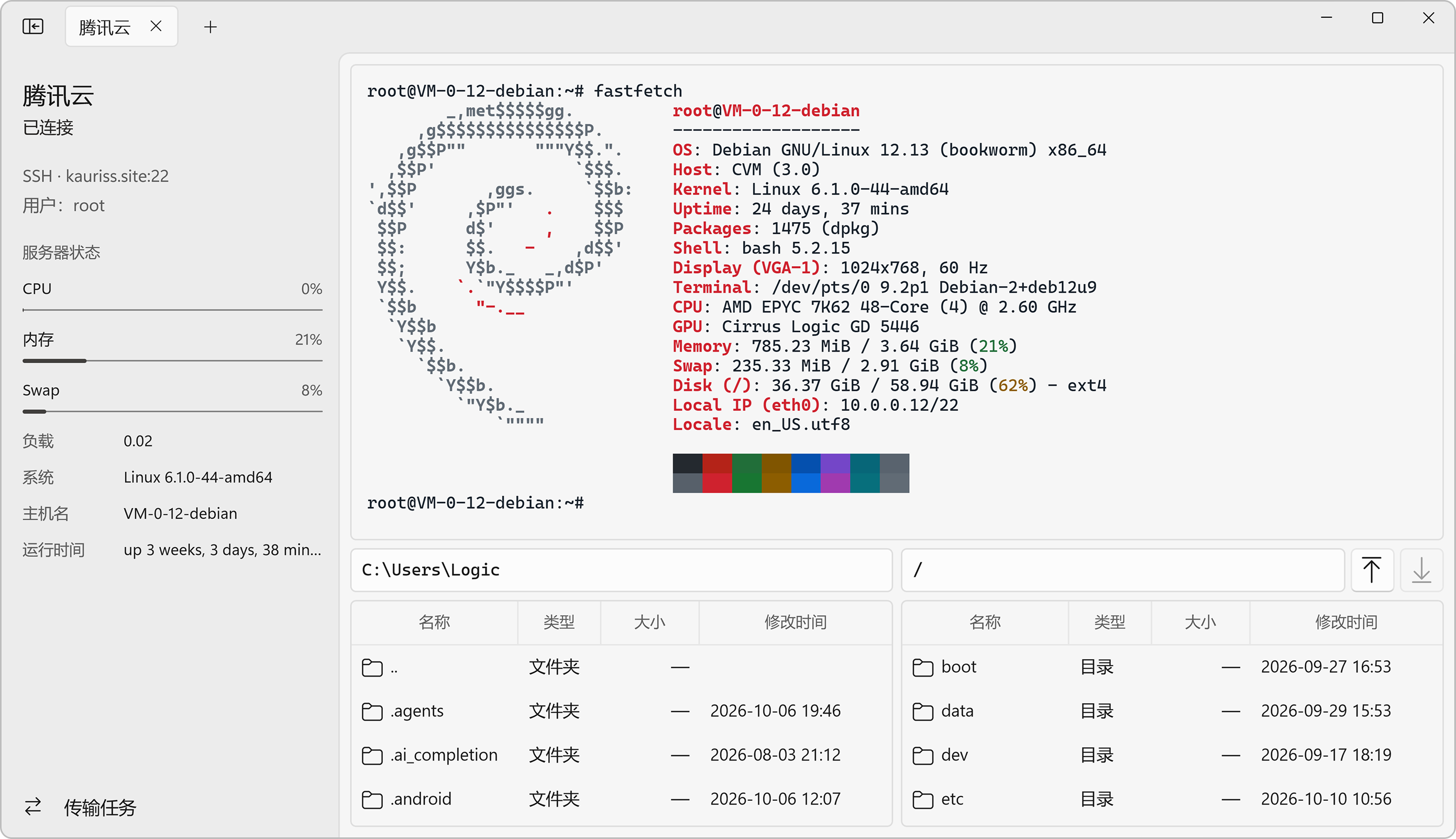
Light, dark and system themes, with Mica and Acrylic materials.
Saved passwords and key passphrases go into Windows Credential Manager.
MIT licensed, with public source code and development progress.
01 / File management
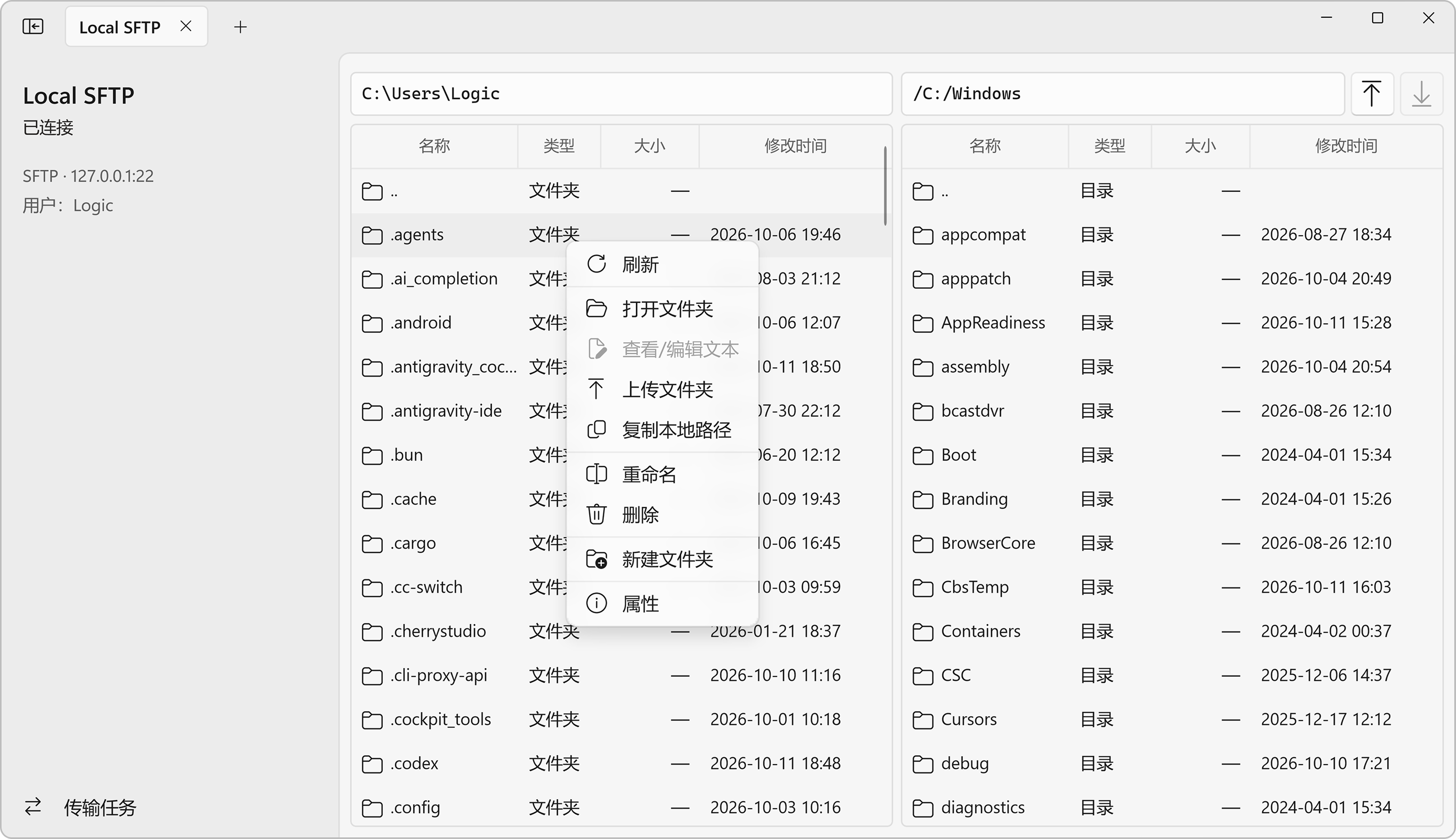
Browse both directories and drop local files or folders into the remote pane to upload. Folder transfers preserve their structure; the transfer center shows progress and speed.
02 / Text editing
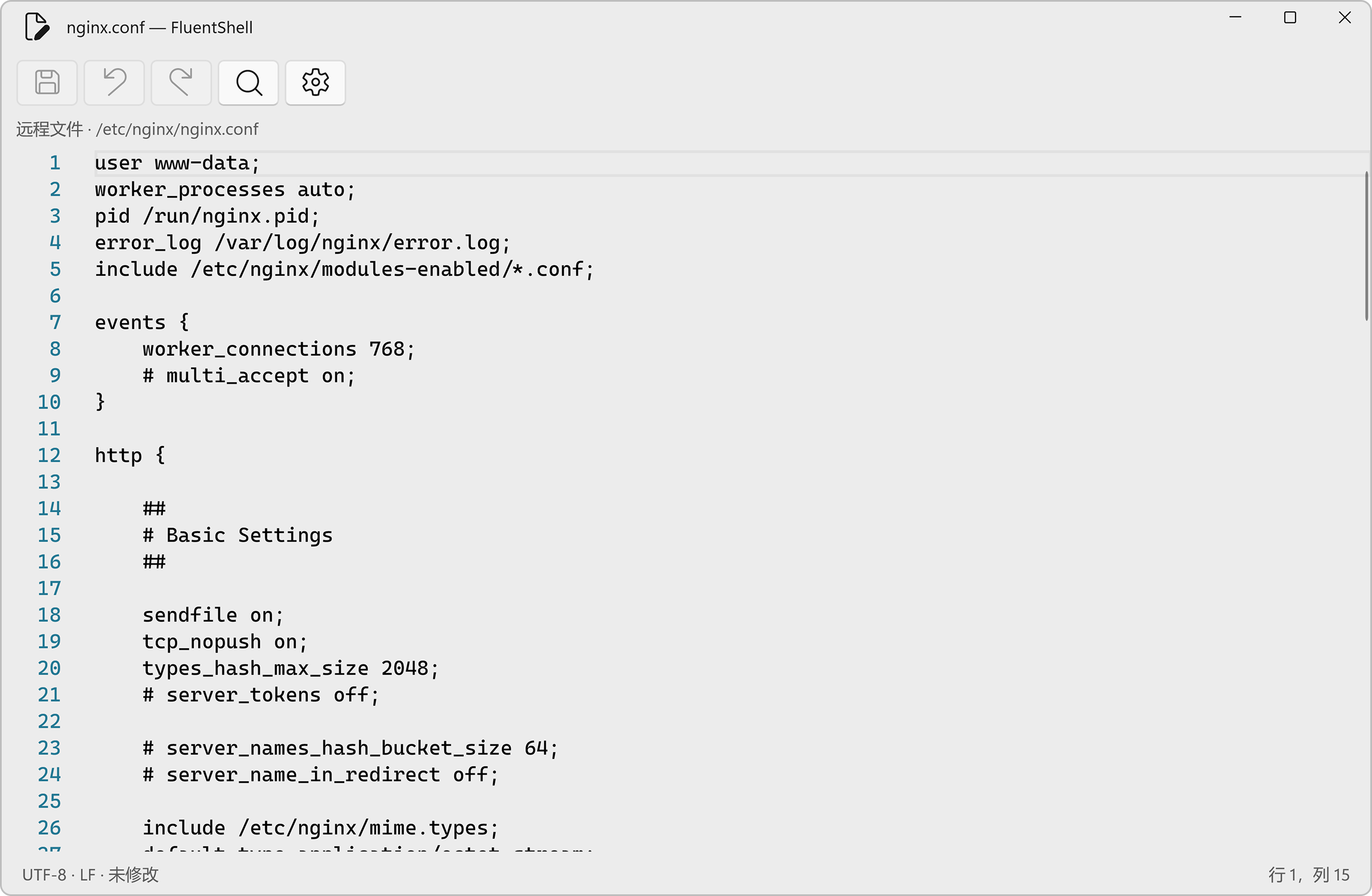
Open local or remote text in a separate editor to update a config or read a log. Files are checked for external changes before saving, and unsaved edits are flagged before closing.
Features
Built with xterm.js, with independent sessions to the same server. Configure the font, cursor and scrollback buffer.
Connect via SSH, standalone SFTP or FTP. SFTP file access does not require a shell account on the server.
Select files and folders together. Recursive transfers preserve empty directories, with progress, speed, pause and retry controls.
Edit text up to 2 MB with line numbers, highlighting and search. Checks external changes before saving and rejects binary files.
View CPU, memory, swap and load in your SSH session, along with the operating system, hostname and uptime.
Password or private key authentication, a single SSH jump host and host fingerprint confirmation. Set automatic reconnect attempts and intervals.
Features reflect the project source checked on October 10, 2026. For installation packages, check the release notes for your selected GitHub version.
Before you start
FluentShell · Free and open source